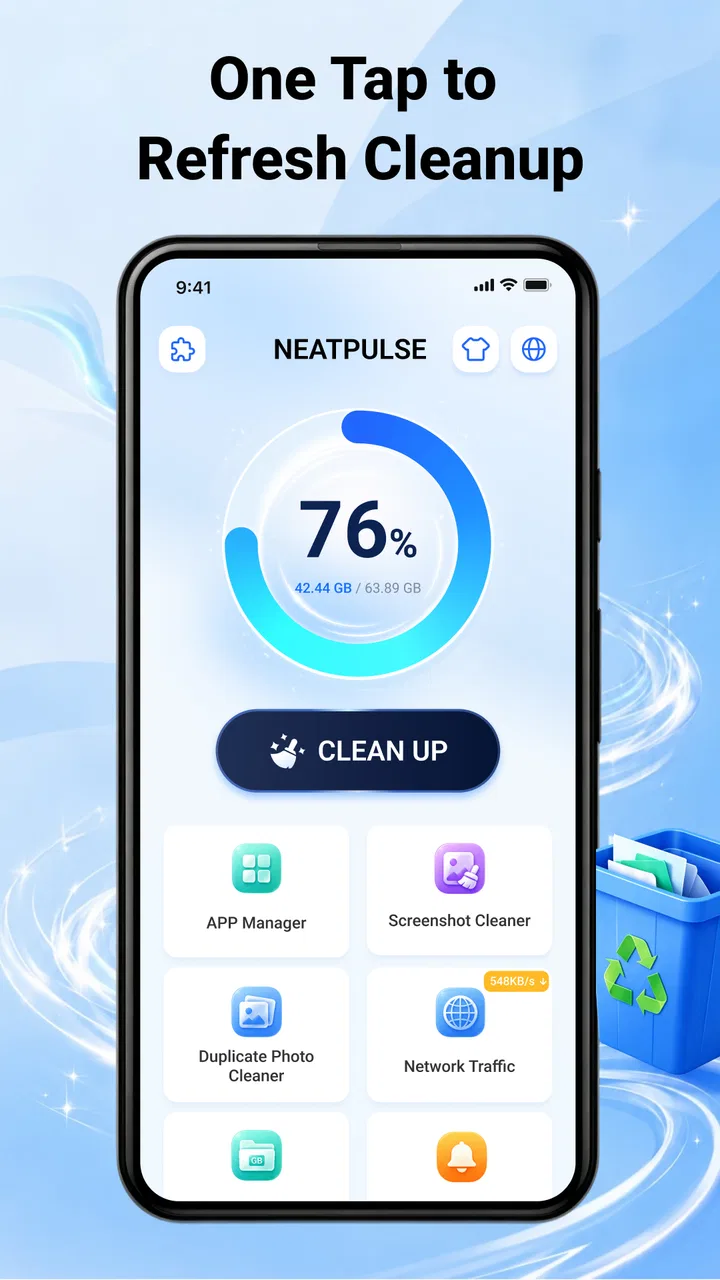
NeatPulse — Phone Cleaner
- 3.8
- Rating
- 1.00M
- Installs
- Free
- Price

 Analysis by App-foxy
I approached NeatPulse as a practical phone-maintenance tool rather than a dramatic “make your phone new again” solution. Its focus is straightforward: help clean unwanted files, manage installed apps, and bring some order to media through local tools. That makes it especially interesting for people who want a simple starting point instead of a large utility suite packed with unfamiliar options.
NeatPulse is a free Tools app from Ahmed Abou Zamil, suitable for Everyone and available for devices running Android 7.0 or later. The current release is V1.0.3. Its average rating sits at 3.8 from roughly seven hundred ratings, while its install count has passed one million. Those figures suggest that it has reached a broad audience, although the rating also tells me to approach it as a useful, developing utility rather than a flawless replacement for every built-in Android feature.
What to expect before you begin
The most important thing to understand is the app’s scale. NeatPulse is built around everyday housekeeping: identifying things you may no longer need, helping you review applications, and organizing media locally. I would not install it expecting a full security package, cloud backup system, or advanced device diagnostics. Its value is in making routine cleanup feel more approachable.
You May Also Like

 Blood Strike: 2.5 Anniversary
Blood Strike’s Loadouts Turn Every Drop Into a Tactical Gamble
A close look at Blood Strike’s custom loadouts: how fast access to signature weapons reshapes its battle royale rhythm, rewards preparation, and narrows the gap between fights.

 Pandora - Music & Podcasts
Pandora’s Music Is Easy to Start, but Harder to Recover
Pandora’s strength is its low-effort path from a seed to a station. Its weak spot is how much confidence it asks you to place in connection, setup, and quiet recovery.

 8 Ball Pool
 Is Built on Rivalries, Rematches, and Routine
A close look at the rivalries, rematches, shared routines, and unanswered safety questions that turn a quick pool match into a persistent mobile community.

 Samsung Music
’s Quiet Strength Is Playing What You Already Own
Its reach comes less from spectacle than from dependable access to a personal library. That simplicity is both the app’s strongest retention engine and its ceiling.

 AccuWeather: Weather Radar
AccuWeather Review: A Quick, Clear Forecast for Everyday Decisions
For everyday plans, the best forecast is the one you can understand quickly. AccuWeather makes rain timing, radar, and local conditions easy to act on, with a few trade-offs.

 Hill Climb Racing
Why Hill Climb Racing Still Turns Crashes Into One More Run
A tiny car, a bumpy hill and one more upgrade: Hill Climb Racing keeps resurfacing because its simple chaos makes every near-miss feel personal.
More From Our News Desk



That distinction matters because phone-cleaning apps often create unrealistic expectations. Removing a few temporary files can be helpful, but it will not automatically solve every performance problem, extend battery life, or repair an aging device. I found it more useful when treated as a review screen for clutter, not as a magic speed button. The final decision about deleting anything should remain yours.
The app is a good match for someone who regularly takes photos, downloads files, installs trial apps, or simply loses track of what is stored on a phone. It can also suit a family member who finds Android’s settings menus difficult to navigate. In contrast, users who already manage storage comfortably through the system settings may see fewer reasons to add another tool.
Its local emphasis is another useful part of the expectation. The main appeal is handling material already on the phone rather than turning cleanup into a separate online service. That makes the workflow feel more direct: inspect what is present, decide what is unnecessary, and organize the remainder. I still recommend reading each screen carefully, especially when media or app removal is involved.
Why the first scan should be treated as an inspection
When a cleaner presents a list of possible junk items, the word “junk” can sound more certain than it really is. A file may be unnecessary to one person and important to another. Old downloads, duplicate-looking images, cached content, and app leftovers can have different meanings depending on how you use your phone.
My preferred approach is to use the first pass as an inventory. I look for categories that I recognize, then open or review individual items where the app allows that kind of inspection. This is especially important with photos and videos. A small amount of time spent checking a folder is better than discovering later that a useful attachment or personal memory disappeared along with genuine clutter.
The safest habit is to review first and clean second. That sounds obvious, but it is the difference between using a cleaner as a helpful assistant and handing it complete control over your storage decisions. NeatPulse works best when it supports that habit rather than replacing it.
Getting through the first setup
For a first-time user, the opening experience should be approached calmly. Let the app show you what it can inspect, then pay attention to the Android prompts that appear. A storage-management tool needs access to relevant content to identify files, apps, or media, but access is not the same as permission to delete everything. I would grant only what is needed for the task I intend to perform.
Before starting a cleanup, I also recommend closing unrelated work and checking that anything important has already been saved elsewhere. This is not because NeatPulse is inherently risky; it is because deletion is a consequential action in any file manager. If you are about to reorganize a large photo collection, a little preparation makes the process less stressful.
One practical setup trick is to decide on a narrow first goal. Instead of trying to clean the entire phone immediately, begin with a familiar area such as old downloads or applications you no longer use. Narrowing the task makes it easier to understand how the app presents results and reduces the chance of selecting something you meant to keep.
The same principle applies to app management. I would first identify obvious trial apps, abandoned games, or tools that have not been opened in months. I would not remove an application merely because it looks unfamiliar. Some system-related packages and companion applications may have names that are not obvious, so a cautious review is more valuable than a large deletion count.
My recommended first-session routine
Open the app and read each permission prompt instead of tapping through automatically.
Choose one type of cleanup rather than combining files, apps, and media in a single rushed session.
Review the results and separate obvious clutter from items that need a closer look.
Complete a small cleanup, then check the relevant folder or app list afterward.
Return later for a second pass once you understand how the categories are presented.
This routine is more reliable than chasing the largest possible number on the first screen. A smaller, clearly understood cleanup is a meaningful success because it teaches you how the tool behaves on your own device.
The first meaningful success
For me, the best first result would be reclaiming space from files I can identify with confidence. That might mean clearing a group of obsolete downloads or removing media that I have already copied to another location. The important part is not the amount removed; it is ending the session knowing exactly what changed.
NeatPulse’s usefulness becomes clearer when the phone has accumulated several kinds of clutter at once. Android’s built-in storage screen can show broad categories, but a dedicated tool can make the process feel more task-oriented. Instead of opening several settings pages, I can think in terms of cleaning, managing, and organizing. That simpler mental model is valuable for less technical users.
A realistic everyday scenario is a phone used for work and family messages. Over time, it may collect downloaded documents, forwarded images, screenshots, and applications installed for one-off tasks. Before a trip, I might use NeatPulse to inspect those areas, remove files I no longer need, and review applications that are unlikely to be useful again. The result is not a transformed device; it is a phone that is easier to navigate and less crowded.
The media side deserves a careful workflow. I would begin by looking for obvious duplicates or disposable screenshots, but I would not assume that similar-looking images are identical. Messaging apps often create several versions of the same picture, and a compressed copy may be the one I actually need. If the app offers grouping or organization views, I would use them to compare items rather than accepting an automatic choice without checking.
App management can deliver an equally practical win. I often install an application to solve one temporary problem and forget it afterward. A review of the installed list can reveal those forgotten tools. Removing them may reduce visual clutter and free storage, but I would keep anything that stores local data unless I have confirmed that the data is no longer needed.
One non-obvious advantage of this approach is that cleanup can become a decision-making exercise rather than a recurring emergency. If I notice that screenshots are the main source of clutter, I can change my habits by deleting them after a project ends. If downloads are the problem, I can review them after finishing a task. The app helps reveal the pattern; the lasting improvement comes from responding to it.
Where new users may become confused
The word “clean” can cover several different actions, and that is where first-time users should slow down. Cleaning temporary material is not the same as uninstalling an app, and organizing media is not the same as backing it up. These actions can have very different consequences even when they appear next to one another.
I would also avoid assuming that every suggested item is safe to erase simply because it is old. Age is only one clue. A document from months ago may still be needed, while a file created yesterday may be disposable. The app can help surface candidates, but it cannot know the personal value of every photo, message attachment, or downloaded file.
Another point of friction is the difference between freeing storage and making a phone feel faster. If the device is slow because of an aging processor, a problematic application, a weak battery, or a system issue, deleting a few files may not change the experience much. NeatPulse is better suited to storage organization than to diagnosing every reason a phone feels sluggish.
Users should also be realistic about app removal. Uninstalling an unused application can be sensible, but it may remove offline content or settings associated with that app. Before removing something important, I would open the application, check whether it has local projects or downloads, and confirm that those items are either synchronized or no longer needed.
Media organization can create a different kind of confusion: visual order does not always equal physical storage savings. Renaming, sorting, or grouping items may make a collection easier to browse without reducing its size. That is still useful, but it is a different outcome from deleting files. I like to decide whether my goal is space, discoverability, or both before taking action.
Three habits that make the tool more dependable
Use small batches. Review one recognizable group at a time so that an accidental selection is easier to spot and undo through your normal device safeguards.
Protect irreplaceable media first. Personal photos and recordings deserve a separate check before any broad cleanup, even when their thumbnails look repetitive.
Measure success by control. A clean, understandable storage layout is more valuable than removing the largest possible amount in one tap.
These habits also explain why I would not recommend NeatPulse to someone who wants completely automatic maintenance. The app is more appropriate for a user willing to look at results and make choices. If you prefer a hands-off system that quietly handles routine optimization, the phone’s own automated features may be a better fit.
How it compares with familiar alternatives
Android’s built-in storage and application settings remain the most direct alternative. They are already part of the operating system and can be preferable when you need precise control over one app, one folder, or one category. I would use those settings for troubleshooting a particular application or checking system storage details.
NeatPulse has a different appeal: it gathers common housekeeping tasks into a friendlier, more focused experience. For someone who finds system menus scattered or intimidating, that can be enough of an advantage to justify using it. The trade-off is that an additional layer may simplify the workflow while offering less technical depth than the operating system’s own screens.
Dedicated gallery applications can be stronger for long-term photo organization, albums, editing, and backup. A specialized file manager may also provide more detailed folder navigation and transfer controls. NeatPulse makes more sense when you want a compact utility for cleanup and basic organization, not when you are building a complete personal archive.
I would also separate it from security software. A cleaner can help identify unwanted files or unused apps, but that role is not identical to malware detection, privacy auditing, or account protection. If your main concern is suspicious behavior, choose a tool designed for that purpose instead of expecting a storage utility to cover every security need.
The best choice depends on the problem in front of you. Use NeatPulse when clutter is the problem and you want a guided local review. Use Android settings when you need system-level precision. Use a gallery or file manager when organization and transfer are the main priorities. Use a security product when protection is the concern. Treating these tools as interchangeable usually leads to disappointment.
Who should use it and who should skip it
I would recommend NeatPulse to people who repeatedly run out of space because of forgotten downloads, unused applications, or an untidy media collection. It is also a reasonable starting point for first-time cleaners who want a single place to begin rather than a technical tour through Android settings.
It can be especially helpful for users who share devices with family members or who regularly move between work and personal tasks. A short review before a trip, a school project, or a major photo session can prevent the last-minute frustration of discovering that the phone is too full to save something important.
I would be more cautious about recommending it to advanced users who already have a precise storage system. If you maintain folders carefully, review applications through system settings, and back up media consistently, the extra convenience may not outweigh adding another interface to your routine.
I would also ask careful users to think about their tolerance for manual checking. NeatPulse is not the right choice if you want to approve nothing and let an automated cleaner decide what matters. Its strongest quality is making cleanup approachable, but approachability should not be confused with permission to skip judgment.
What to do after the first cleanup
Once the first successful action is complete, I would not immediately run every available tool. Instead, I would revisit the area that caused the most clutter. If it was media, create a simple personal routine around screenshots and received images. If it was applications, uninstall temporary tools soon after a project ends. If it was downloads, clear completed files before they become difficult to identify.
A second useful step is to compare the app’s organization with your normal habits. If browsing media is easier after the review, keep that structure. If a category feels unclear, use Android’s own settings or a dedicated file manager for a closer look. NeatPulse does not need to handle every part of your storage life to be worthwhile.
Because it is free and rated for Everyone, trying it is accessible for a broad range of Android users. Still, I would judge it by whether it gives me confidence and control, not simply by how many items it reports. Its 3.8 average rating reflects a mixed but generally viable experience, and that feels consistent with my view: useful for straightforward housekeeping, but not a universal answer to storage, speed, privacy, and backup all at once.
My final recommendation is to start small, inspect before deleting, and give each feature a clear job. NeatPulse is at its best as a calm first step toward a cleaner phone, especially for people who need help turning scattered clutter into manageable decisions. If you want deep technical controls or fully automatic maintenance, another option may suit you better. For everyday local cleanup and a more organized starting point, however, it is a sensible tool to keep available.
In short, I would install it when my phone feels crowded and I want guidance without committing to a complicated utility suite. I would use it deliberately, keep important media under personal control, and treat each cleanup as a review rather than a race. That approach lets NeatPulse deliver its most practical benefit: helping ordinary users understand what is taking up space and decide what deserves to stay.
FAQs for NeatPulse — Phone Cleaner
01What is NeatPulse — Phone Cleaner used for?
NeatPulse — Phone Cleaner is designed to help you review and manage storage on an Android phone. Its main purpose is to identify items that may be taking up unnecessary space, such as cached files, temporary data, duplicate photos, large videos, or unused applications. It can be useful when your device feels cluttered, although you should always check suggested files before deleting them.
02Is NeatPulse — Phone Cleaner safe to use?
The app can be useful for organizing storage, but no cleaner should be trusted blindly with automatic deletion. During a review, the most important safety step is checking the categories and file previews before confirming an action. Avoid removing personal photos, downloads, documents, or app data unless you are certain they are no longer needed, and review the permissions requested by the application.
03Can NeatPulse improve my phone’s performance?
NeatPulse may help your device feel less cluttered by freeing storage and removing certain temporary files, especially when available space is very low. However, it is not a guaranteed performance booster. Android already manages memory and background processes automatically, so repeatedly closing applications or deleting small cache files may provide little benefit. Its strongest feature is storage management rather than dramatic speed improvement.
04Does NeatPulse delete personal photos, videos, or important files?
NeatPulse should not remove personal content without user confirmation, but users should still examine every cleaning recommendation carefully. Duplicate images, similar videos, large files, and old downloads can sometimes include items you want to keep. Before using a cleanup option, open the results, deselect anything important, and consider creating a backup of valuable photos and documents.
05Is NeatPulse — Phone Cleaner free to download and use?
NeatPulse may be available as a free download, but some tools, advanced scans, or an ad-free experience can depend on the current version and subscription terms. Check the Google Play listing or in-app purchase screen before starting a trial or accepting a payment. Also review whether subscriptions renew automatically, since pricing and available features may change between app updates.
Pros
- Quickly identifies large files and unused apps.
- Simple interface makes routine cleaning easy.
- Helps organize photos
- videos
- and duplicate files.
- Useful storage insights show what consumes space.
- Can improve available storage without technical knowledge.
Cons
- Cleaning suggestions may require careful manual review.
- Some features may be restricted behind a subscription.
- Scanning large media libraries can take noticeable time.
- Results depend on the permissions granted to the app.
- Aggressive cleanup can remove files you intended to keep.

NeatPulse — Phone Cleaner
Gallery